My custom domain “samwoosafety.co.kr” has been stuck in the “Preparing your domain…” state for several days now. As a result, my website is not being published.
Could you please look into this and help resolve the issue so my site can go live?
Thanks for reaching out! I see your custom domain samwoosafety.co.kr is stuck in the “Preparing your domain…” state. This usually means the domain verification or DNS configuration hasn’t fully completed. Let’s go through a few checks to resolve it.
1. Verify your DNS records
Since you’re using Netlify DNS for www.samwoosafety.co.kr, make sure your apex domain (samwoosafety.co.kr) has the correct A records and CNAME records pointing to Netlify:
Apex (samwoosafety.co.kr): A record to 75.2.60.5 and 99.83.190.102
www subdomain: CNAME record to your Netlify subdomain (e.g., samwoosafety.netlify.app)
2. Check domain verification
If the DNS is correct but the status still says “Preparing,” the verification process might be waiting for propagation. You can check DNS propagation using a tool like https://dnschecker.org to confirm your records are live worldwide.
3. Trigger domain verification again
In your site’s Domain settings, click Options → Verify DNS configuration. This often pushes Netlify to recheck the DNS status.
4. SSL/TLS certificate provisioning
Sometimes “Preparing” means the SSL certificate from Let’s Encrypt hasn’t been issued yet. Once the DNS records are correct and propagated, Netlify should issue the certificate automatically within a few hours.
If you’ve confirmed the above and the domain is still stuck after 24 hours, please reply with:
A screenshot of your current DNS settings
The output of a DNS check for your domain
The site ID or link to your Netlify project
We’ll investigate further and manually trigger domain provisioning if needed.
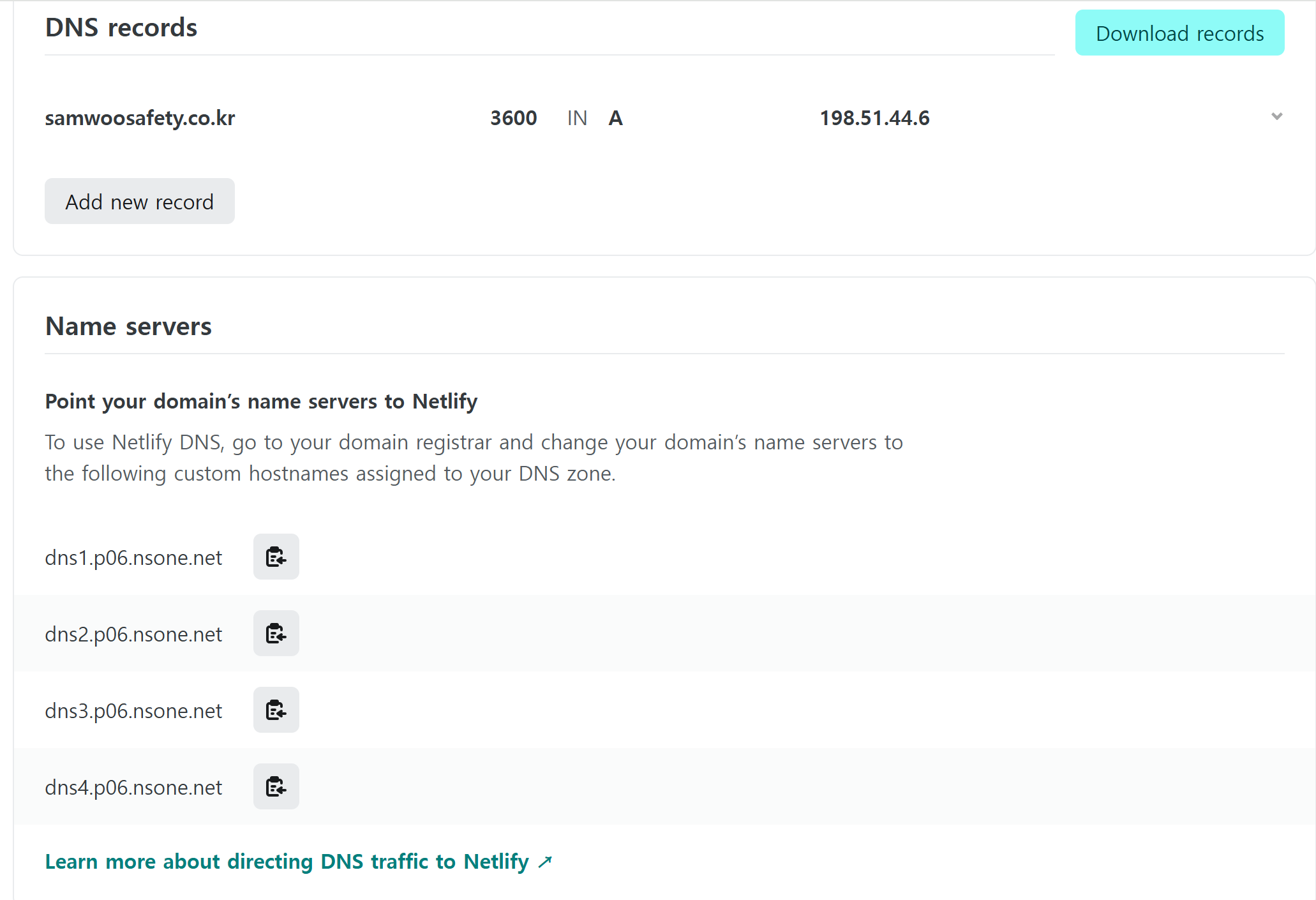
It seems you deleted the Netlify DNS records and added an A record that points to NSONE.
To better understand how Netlify DNS works, if your domain’s nameservers point to Netlify, you won’t need to manually configure DNS records. Netlify automatically handles everything, linking your custom domain to your site, setting up HTTPS, and providing a free SSL certificate, making the process simple and hassle free.
To resolve the issue, delete the A record 198.51.44.6, and we would backfill the missing Netlify DNS records.