Hi there!  I’m really enjoying the “Jamstack Explorers”. I’ve actually been doing Tara’s great missions on Angular. However, feeling curious about my progress, I couldn’t acces my profile, when I clicked in my avatar. I read some other Questions in the Support Forum regarding bugs once in the profile UI… but unfortunatelly I cannot even access that profile.
  I guess this is probably an admin issue, so I posted the question here. It’s is not an urgent think, but I’d like to know if there’s some bug in my profile. I attach some pictures of my console inspection. As you can see, the fetched XHR data while in “mission” is OK (although all data related to missions is console.logged and shown as arrays).

But once I try to acces my profile, I get a warning regarding CSS and 2 errors, and the view is blanck with the message “An unexpected error has occurred”.
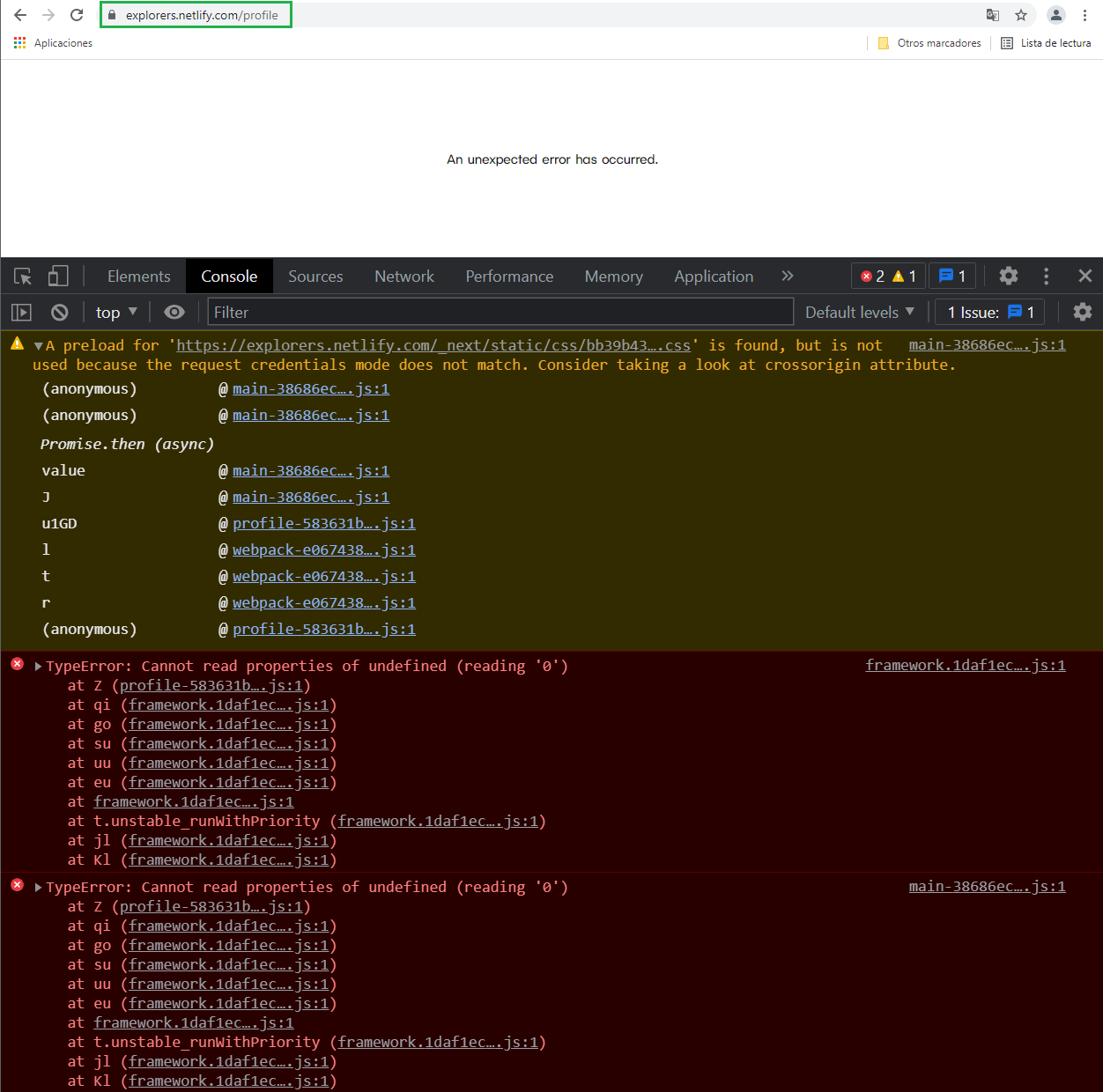
If I go backwards in my Chrome’s history, I come back to the “missions”, with no console errors but the warning regarding the CSS styles.

But, Firefox says that there are some cookies “tld” and “_ga” which aren’t using the attribute “Samesite”. Could it be a CORS issue? Firefox also console.logs the missions data as arrays, like Chrome did. When I try to acces the profile it also fails and adds an errror regarding “Next.JS”.

Those errors I commented happen under explorers.netlify.com/profile. I’m using Windos10 (original), conecting from Spain. I tried accessing the profile with and without the “cache” enabled in Chrome’s DevTools > Network, but the bug shows anyway. I was not in incognito mode. I tried accessing with Firefox 92.0 (64bit) and Chrome 63.0.x (64.bit).
Any guesses why this may happen?
Thank you in advance! 

