@hrishikesh
Netlify fails to build the monorepo. After lots of trial and error netlify still doesn’t managed to build and deploy nextjs monorepo successfully.
I’ve monorepo of nextjs (turborepo) application but it doesn’t work.
Documentation seems really confusing. netlify.toml seems also confusing like where to put and what value we should put.
Like we should put it inside ./ or ./apps/my-nextjs-app
I advice netlify team to just create a project via turborepo, nextjs and try to deploy your own project on your own infrastructure, You will not able to get it running without atleast 2~3 days trial and error and tweaking.
First managing to make successful build is hard in monorepo of turborepo and nextjs.
But if you managed to build somehow then even after successful build it doesn’t work.
In my local system I just run command like yarn build:app-name from base dir or just run cd apps/app-name and it just works as expected.
Then other thing comes like open-next which seems more cofusing (I blame vercel for it).
As per docs netlify supports NextJS via open-next out of the box via just plug-n-play by just adding @netlify/plugin-nextjs somewhere is repo (Yeah! somewhere because I don’t exactly know to put it on ./package.json or ./apps/my-app/package.json
After lots of trial and error I’ve managed to build and publish successfully but still getting error “Invocation Failed”
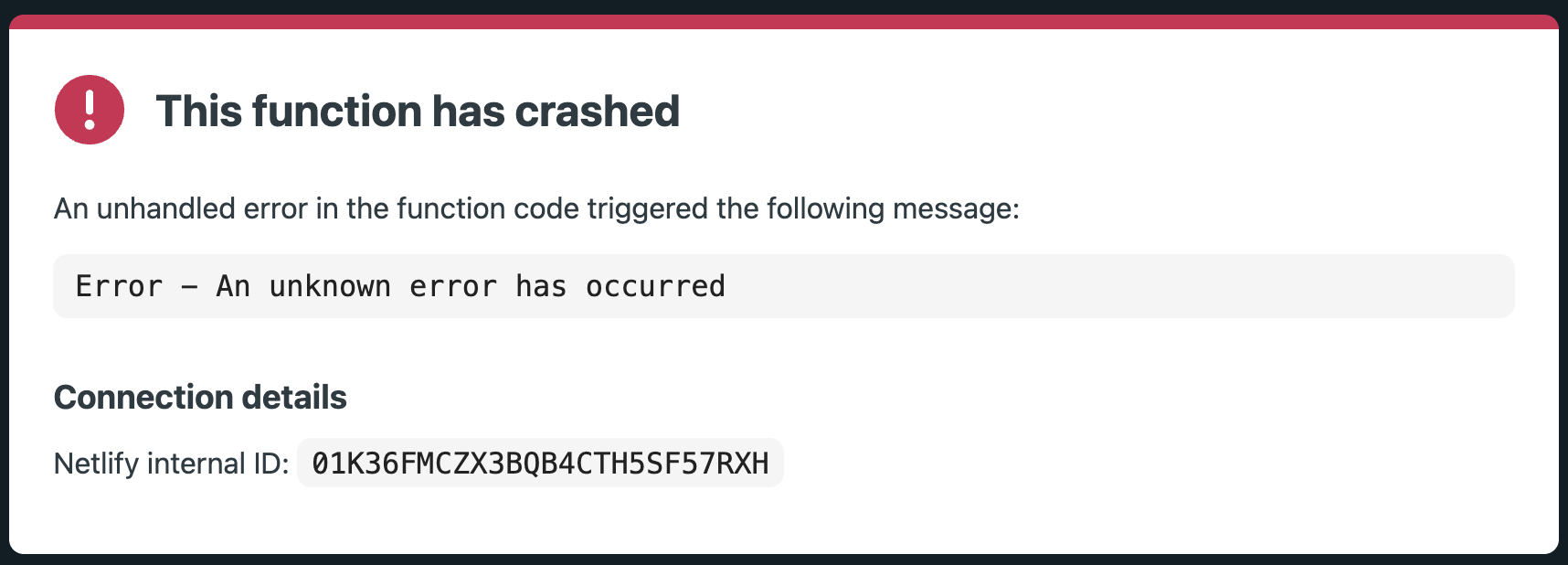
This function has crashed
An unhandled error in the function code triggered the following message:

Error - Cannot find module 'next/dist/server/lib/start-server.js' Require stack: - /var/task/.netlify/dist/run/next.cjs

Stack trace
Error: Cannot find module 'next/dist/server/lib/start-server.js'
Require stack:
- /var/task/.netlify/dist/run/next.cjs
    at Function._resolveFilename (node:internal/modules/cjs/loader:1401:15)
    at defaultResolveImpl (node:internal/modules/cjs/loader:1057:19)
    at resolveForCJSWithHooks (node:internal/modules/cjs/loader:1062:22)
    at Function._load (node:internal/modules/cjs/loader:1211:37)
    at TracingChannel.traceSync (node:diagnostics_channel:322:14)
    at wrapModuleLoad (node:internal/modules/cjs/loader:235:24)
    at Module.require (node:internal/modules/cjs/loader:1487:12)
    at require (node:internal/modules/helpers:135:16)
    at Object.<anonymous> (/var/task/.netlify/dist/run/next.cjs:499:30)
    at Module._compile (node:internal/modules/cjs/loader:1730:14)
Connection details
Netlify internal ID: 01K5J6YXC31NR2JNGPPV8BARDS

Next steps
Site visitors: Contact the site owner or try again.
Site owners: Review the function logs for more info.
I’m sharing the my settings as much as I can. After sharing it I know netlify team will definately say “Oh! your this cofig should look like this not like that…” and I know it could be wrong since I’ve tried to official docs, generative AIs, forum answers, but none of them worked.
Only worked is my own trial-n-error and back-n-forth tweaking.
But after managing to build it somehow it’s failing in production getting above shared error. btw, I cannot share the whole codebase but I’ll share the all codes which you need like package.json, netlify.toml, Netlify website build settings.
I know netlify support team are really great and amazing since they atleast read all the forum comments/post and they reply on it even if it’s already covered on docs.
Let’s finish the turborepo+nextjs+open-next+netlify+@netlify/plugin-nextjs here. So in future others can take it as a ref.
Thank you!
./ = my base turborepo
./package.json
{
  "private": true,
  "scripts": {
    "build": "turbo run build",
    "dev": "turbo run dev",
    "dev:ads": "turbo run dev  --filter=ads",
    "build:ads": "turbo run build  --filter=ads",
    "lint": "turbo run lint",
    "format": "prettier --write \"**/*.{js,jsx,ts,tsx,md}\""
  },
  "devDependencies": {
    "eslint": "^8.48.0",
    "prettier": "^3.0.3",
    "tsconfig": "*",
    "turbo": "^2.4.0",
    "@netlify/plugin-nextjs": "^5.13.2"
  },
  "name": "my-masterrepo",
  "packageManager": "yarn@1.22.19",
  "workspaces": [
    "apps/*",
    "packages/*",
    "extensions/*"
  ],
  "dependencies": {
    "@types/xml2js": "^0.4.14",
    "xml2js": "^0.6.2"
  }
}
./apps/ads/netlify.toml
[build]
  command = "yarn build:ads"
  publish = "apps/ads/.next"

[[plugins]]
  package = "@netlify/plugin-nextjs"
./apps/ads/package.json
{
  "name": "ads",
  "version": "1.0.0",
  "private": true,
  "scripts": {
    "dev": "next dev -p 3014",
    "build": "next build",
    "start": "next start",
    "lint": "next lint"
  },
  "dependencies": {
    "@serwist/next": "^9.0.9",
    "cookies-next": "^6.1.0",
    "cors": "^2.8.5",
    "my-tailwind-config": "*",
    "my-ui": "*",
    "my-utils": "*",
    "mongoose": "^7.1.1",
    "next": "14.2.0",
    "react": "^18",
    "react-dom": "^18"
  },
  "devDependencies": {
    "@netlify/plugin-nextjs": "^5.13.2",
    "autoprefixer": "^10.4.13",
    "eslint-config-next": "12.1.5",
    "postcss": "^8",
    "tailwindcss": "^3.4.13"
  }
}
./apps/ads/next.config.js
/** @type {import('next').NextConfig} */
const nextConfig = {
  reactStrictMode: true,
  transpilePackages: ["my-ui", "my-utils", "my-tailwind-config"],
};

module.exports = nextConfig;
./turbo.json
{
  "$schema": "https://turbo.build/schema.json",
  "globalDependencies": [
    "**/.env.*local"
  ],
  "tasks": {
    "build": {
      "dependsOn": [
        "^build"
      ],
      "outputs": [
        ".next/**",
        "!.next/cache/**"
      ]
    },
    "lint": {},
    "dev": {
      "cache": false,
      "persistent": true
    }
  }
}
If need any additional info please let me know.
I use below commands
Assuming I’m in ./
If I want to build all repo in one command: yarn build
If I want to build specific project: cd apps/my-app && yarn build
Run specific project: yarn dev:my-app (which you can check in ./package.json)
Btw, someone, somewhere suggested If I’ll make it standalone and let make node_modules in apps/my-app dir then it will start working (I’ve not tried it, will try this as well)
Below are my netlify dashboard settings Project configuration > Build & Deploys > Build Settings
Build settings

Runtime: Next.js
Base directory: /
Package directory: apps/ads
Build command: yarn build:ads
Publish directory: .next
Functions directory: netlify/functions
Build status: Active
And this setting is atleast allowing to build & deploy in netlify successfully (but failing to load website: “Invocation Failed”)
original post: This function has crashed An unhandled error in the function code triggered the following message: Error - Cannot find module ‘next/dist/server/lib/start-server.js’ Require stack: - /var/task/.netlify/dist/run/next.cjs